

- What is Micro Putt?
- What are the benefits of putting Micro Putt on my website?
- How will visitors drive traffic to my website?
- Does it cost anything?
- What does a Microputt game look like when it has been branded?
- How do I host the game on my website?
- What can I customise?
- Will there be any other branding or credits in my game?
- How do I embed the SWF file?
- Planned improvements
-
What is Micro Putt?
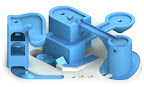
Micro Putt is a casual mini-golf advergame in the form of an executive toy to engage visitors with YOUR brand in a fun and tactile way!
Designed to be customised and hosted on your website for free!
-
What are the benefits of putting Micro Putt on my website?
Visitors need a fun break while browsing and this is just that. Their playing experience will also inform and direct them to your products, services or whatever you wish when they putt the ball in each hole.
10 good reasons to adopt Advergaming in your marketing strategies are:
- It allows users to interact with your branding in a fun and engaging way
- Adds a viral asset to your website or blog to drive more traffic to your site
- Keeps visitors on your website longer
- Burger King launched 3 Advergames and saw a 40% increase in Burger King’s profits during the quarter in which the games were released
- Free for your clients/public to use
- Easy and quick to implement
- Visitors can share their experience with friends using the facebook share link which adds another viral element to your site
- More effective than using banners or pop-ups
- More cost effective to implement than traditional media methods
- Fun!
-
How will visitors drive traffic to my website?
Visitors can click on the Facebook ‘Share’ button on the score sheet to share your game URL with their friends.
-
Does it cost anything?
Micro Putt is absolutely FREE to host provided you accept the Terms and conditions.
You’re welcome to customise the background image from a series of templates.
-
How do I host the game on my website?
- Download the game ZIP file from HERE>>> Zip File 400kb
- Download the TXT from HERE>>> Zip File 781b
- Download unbranded GAME Image Templates from HERE>>> Picassa Web
- Rename the image you wish to test to MicroPuttBG.jpg
- Put the SWF, JPG and TXT files into a folder on your server. They MUST be together in the same folder.
- Embed the SWF onto one of your web pages. Size 494 x 300 Pixels.
- Test the game in your web browser to see that its using the image and text files ok.
- If this is successful then you are ready to customise your image and text file.
-
What can I customise?
- Your game name!
- Add your own LINKS and TEXT to each score tab.
- Add your own text to the info page.
- Choose to enable/disable the highscores for your game.
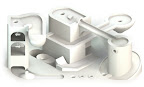
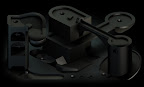
- Colour and add your logos or paint anything into the image from a selection of templates using Photoshop or similar.
-
Will there be any other branding or links in my game?
All branding will be just your own 🙂
Damp Gnat has a tiny credit on the info page and a link button to the full 12 hole game which can be found on the score sheet. (This opens in a new tab)
-
How do I embed the SWF file?
You can embed SWF files in a similar way to images. You can insert this embed code and change the URL to where you placed the SWF file.
The size MUST be 494 x 300 pixels or the game will not play correctly.
Html embed code:
<object width=”494″ height=”300″ data=”http://******************/MicroPutt.swf” type=”application/x-shockwave-flash”>
<param name=”src” value=”http://******************/MicroPutt.swf” />
</object>
***** should be the location of your swf.
Clear your browser’s cache if you change any of the content to be sure it displays your changes.
-
Planned improvements
Facebook and Twitter score share. DONE!
Larger Background option. DONE!